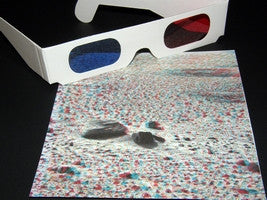
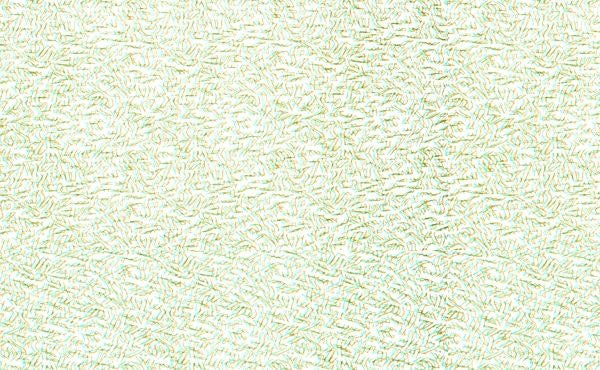
Step into another dimension with specialized media built for depth. Print stunning anaglyph art, immersive zines, event flyers, and dimensional artwork right from your home or office printer — no special software needed. Every pack includes a pair of red/blue 3D glasses so you can test your designs the moment they come off the printer.
📦 Each pack includes 20 sheets of printable 3D stereoscopic paper and one pair of red/blue 3D glasses.
Printable 3D Stereoscopic Virtual Reality Paper — Red/Cyan Sheets for Inkjet & Laser
These standard 8.5" x 11" sheets work with any inkjet printer, laser printer, or professional printing press. Print graphics, text, or artwork using red/cyan channel separation — when viewed through a red/blue viewer, images appear to float above the page. Compatible with Photoshop, GIMP, or any image editor that supports channel separation. CMYK friendly — just maintain clean channel separation in your file design.

📐 Format & Specs
- Sheet Size: 8.5" x 11"
- Pack: 20 Sheets + 1 Pair Red/Blue 3D Glasses
- Printer Type: Inkjet, Laser, or Printing Press
- Color Method: Red/Cyan Anaglyph
- Software: No Special Software Required
🖨️ Key Features
- Draw, Print, Write, or Rubber Stamp
- Images Appear to Float Above the Page
- CMYK Inkjet & Laser Compatible
- Word Processor Compatible
- Red/Blue Glasses Included
3D Art Paper — Creative Applications & Use Cases
This printable 3D craft paper was built for creators working across the analog and digital worlds. Bring arcade cabinets to life, design gallery prints that vibrate in dimension, or produce zines that stop people in their tracks. The red/cyan anaglyph technique transforms any printed image into a depth experience visible through standard red/blue viewers.
Popular uses include artsy party invites, birthday crafts, promotional flyers, movie night decor, custom event badges, DIY toy packaging, summer camp craft sessions, unique gift artwork, and immersive multimedia gallery sets. Write directly on the surface, rubber stamp designs, or run full print jobs — this paper handles it all.
Pro Tips
Use Photoshop or GIMP for precise red/cyan channel separation — both are free or low-cost options. Even your word processing program can produce basic 3D text effects on this paper. For the cleanest depth effect, keep your red and cyan layers offset by 3–5px horizontally. Print at your printer's highest quality setting for maximum color fidelity.
Frequently Asked Questions
Do I need special software to use this paper?
No special software required. You can print graphics or text from any image editor, word processor, or design program. For best anaglyph results, use Photoshop or GIMP to create red/cyan channel separation.
What printers are compatible?
Any inkjet printer, laser printer, or professional printing press. Both CMYK inkjet and laser printers print effectively — just maintain clean channel separation in your file design.
Are the 3D glasses red/blue or red/cyan?
The included glasses are red/blue viewers — the classic style that works with red/cyan anaglyph prints. One pair is included with every pack.
Can I write or draw directly on the paper?
Yes — you can write, draw, rubber stamp, or print on this paper. It accepts ink from most pens and markers in addition to printer ink and toner.
How does the 3D effect work?
Print any image using red/cyan channel separation. When viewed through red/blue 3D glasses, the offset layers create a depth illusion — making images appear to float above the page.
You might also like